Diagnostics
Eppo runs simple checks to ensure your experiment is running smoothly and correctly. All diagnostic checks are scheduled to run with the experiment update schedule, and the results will be automatically refreshed after each run.
Coupled with Slack notifications, Eppo diagnostics alert you to the first sign of an issue with your experiment such that you can fix the issue and minimize lost time to misconfigured experimentation leading to incorrect results.
Each diagnostic contains tools to help you understand, validate, and resolve the issue identified. This information includes graphical representations of the data observed, the SQL we ran that identified the issue, and suggestions on how to resolve the problem. To see more information about a given diagnostic error, click on the “Fix issue” link to the right of the diagnostic.
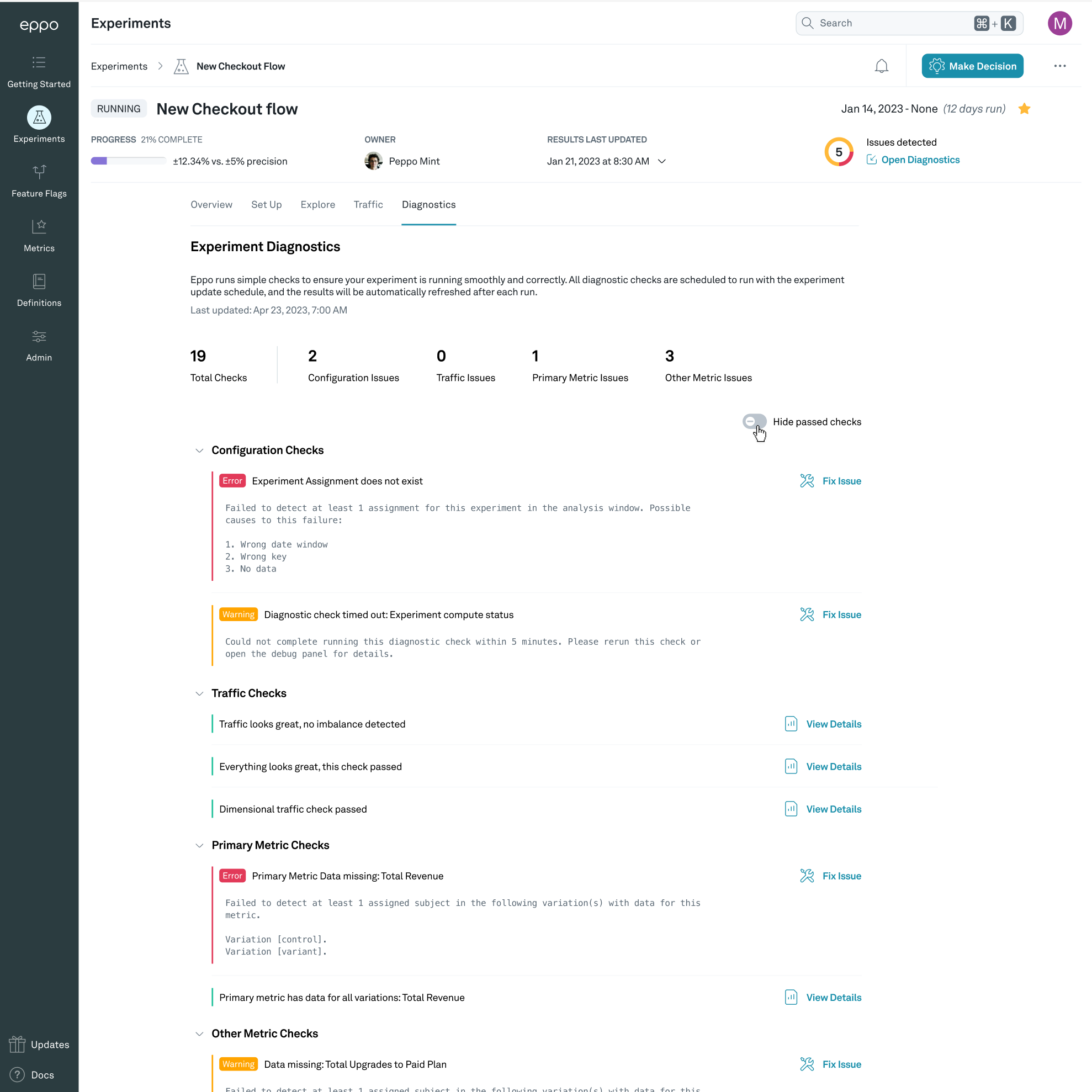
Configuration diagnostics
Configuration diagnostics check that all the underlying data is available for the experiment to run.
Experiment Assignments diagnostic
The experiment assignments diagnostic checks that users are assigned to the experiment within the analysis window. If this check fails probable causes include:
- Incorrect date window
- Wrong experiment key
- No data from the application is making it’s way to the warehouse
Experiment compute status diagnostic
The experiment compute status diagnostic checks that Eppo can reach your warehouse and calculate results for the experiment. If this check fails, please check the error message provided and ensure your data warehouse connection is active.
Traffic diagnostics
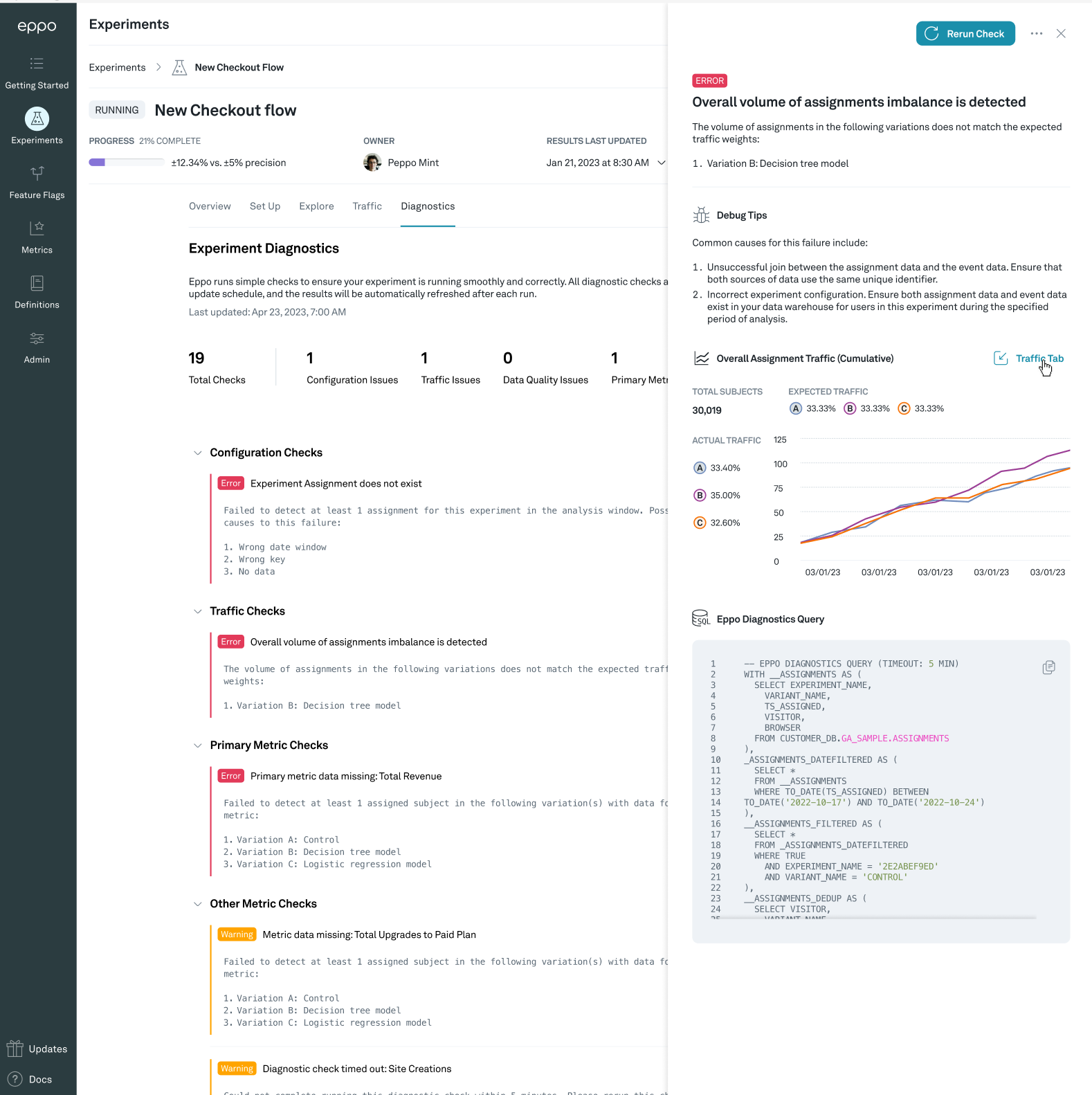
Validity of experimental results crucially relies on proper randomization of subjects. We use the sample ratio mismatch test to verify that subjects are divided across variants as expected and additionally check that subjects assigned do not jump between variants.
Traffic imbalance diagnostic
Eppo runs a test to check whether the number of subjects assigned to each variation matches the expected split (sample ratio mismatch, or SRM). When it doesn’t, there is likely an issue with randomization or assignment logging, which can invalidate experiment results. For a detailed explanation of the test, common causes, and a step-by-step troubleshooting flow, see Sample Ratio Mismatch.
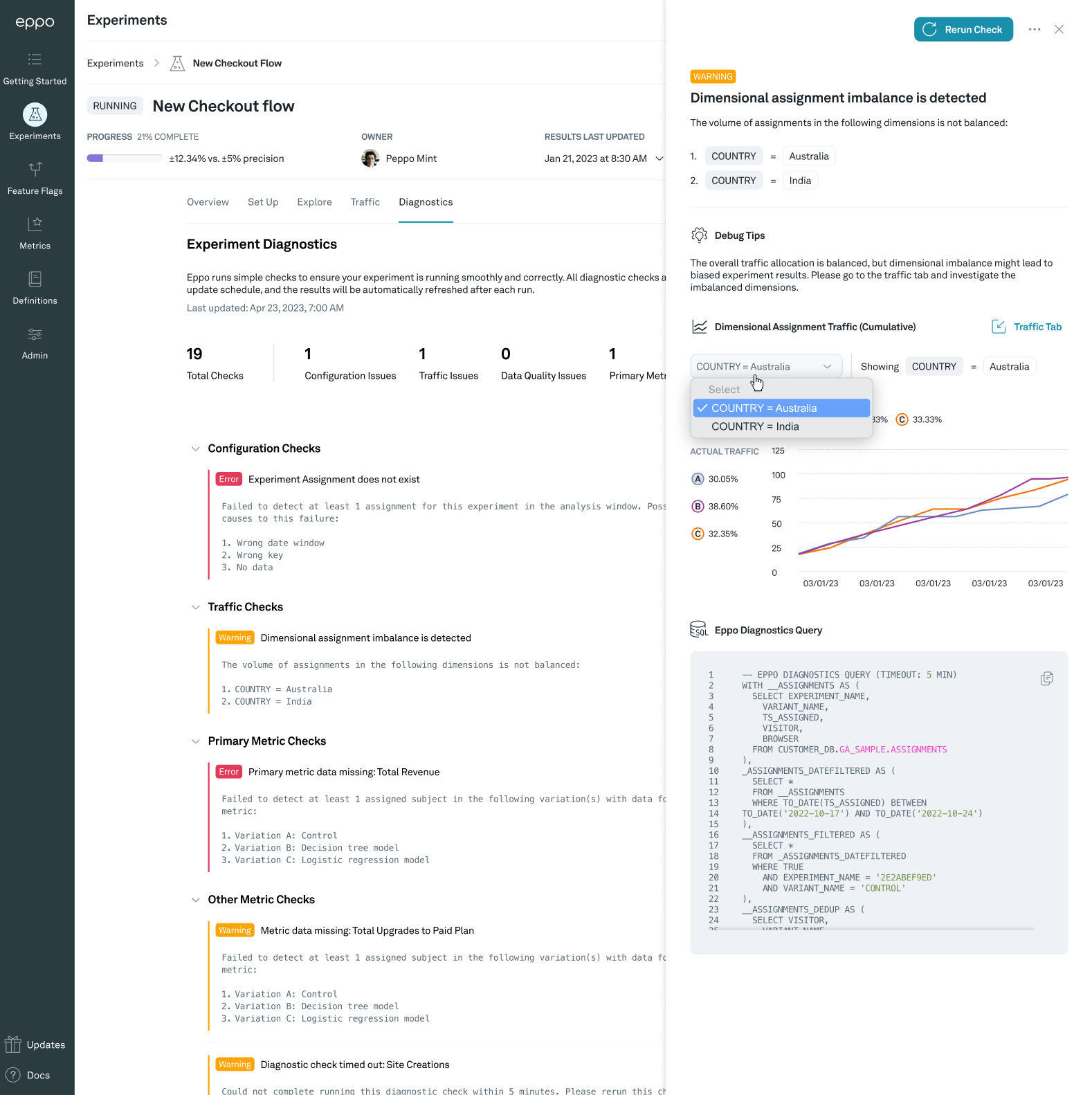
Dimensional imbalance diagnostic
Eppo can also detect when the observed split of traffic across variations within one or more dimensions did not match the expected split. We will highlight the top dimensions where we an imbalance occurring so that you can investigate further.
Mixed assignments diagnostic
Eppo checks if subjects have been exposed to more than one variant and will notify based on the percentage detected. Note that subjects seen in multiple variants will be removed from Eppo analysis.
- Pass - 0-10% mixed assignments detected
- Warn - 10-60% mixed assignments detected
- Fail - 60-100% mixed assignments detected
Metric diagnostics
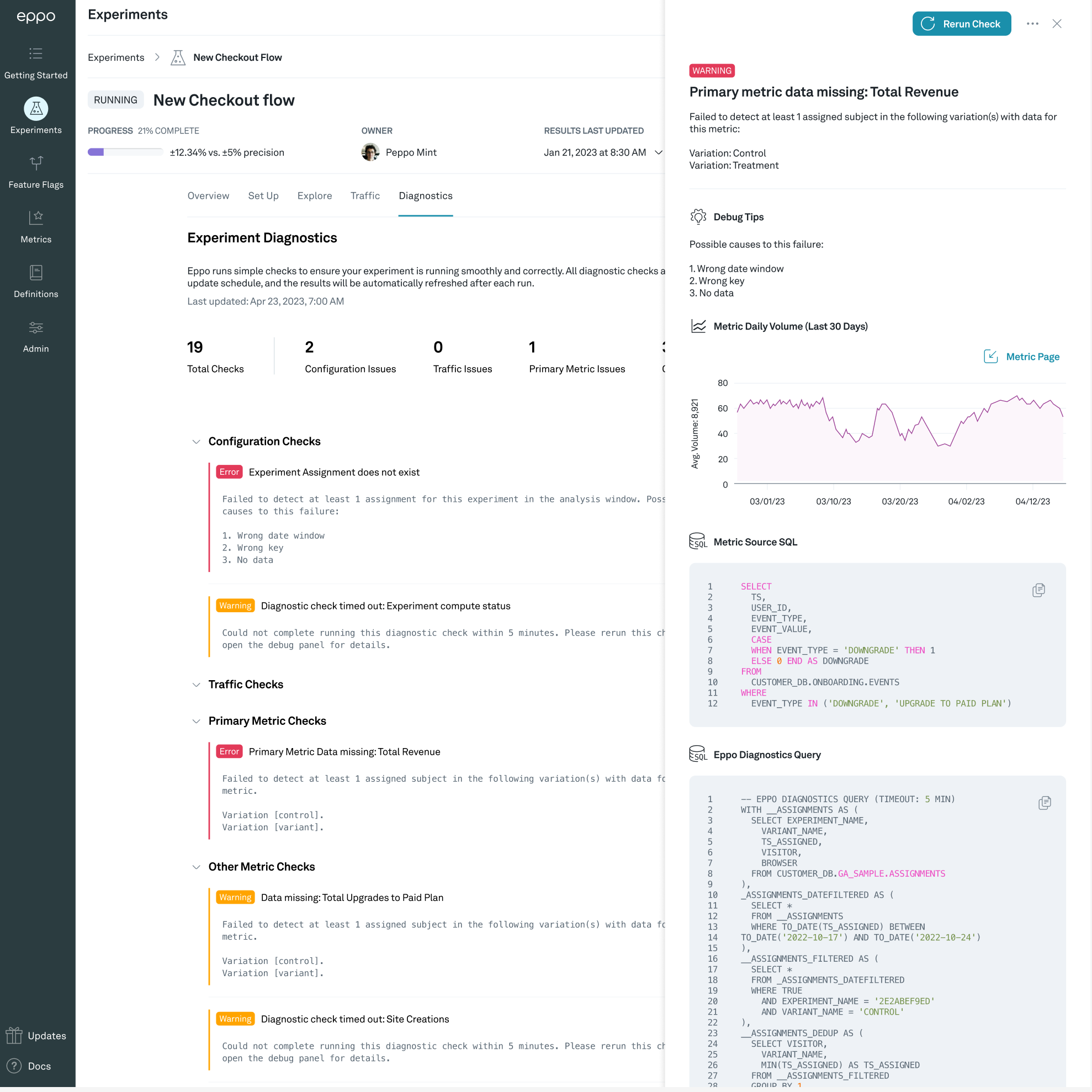
Metric diagnostics check that the metrics being measured in the experiment have data that Eppo can observe. Eppo will run checks against the primary metric in the experiment along with all other metrics being measured.
Common causes for this a metric diagnostic failure include:
- Unsuccessful join between the assignment data and the event data. Ensure that both sources of data use the same unique identifier.
- Incorrect experiment configuration. Ensure both assignment data and event data exist in your data warehouse for users in this experiment during the specified period of analysis.
Data quality diagnostics
Data quality diagnostics check that experiment data matches what we would expect based on pre-experiment data Eppo observes.
Pre-experiment data diagnostic
Eppo detects when pre-experiment metric averages differ significantly across variations for one or more metrics. Eppo will highlight the top metrics where we see this differentiation. When the gap is too large to be plausibly due to chance, we flag it so you can investigate before trusting experiment results.
Possible reasons include: incorrectly specified experiment dates; iterating on a feature (e.g. same split after a buggy build) so Treatment had different pre-experiment exposure than Control; gradual roll-out with the experiment start set to full roll-out; or any traffic imbalance cause (assignment logging, latency, one variant starting before others). For a detailed list of causes and a step-by-step diagnostic process, see CUPED and significance.
The pre-experiment data diagnostic is only run when CUPED is enabled. This setting can be changed in the Admin panel across all experiments, or on a per-experiment basis in the Configure tab under Statistical Analysis Plan.
Understanding diagnostic queries
Each diagnostic check includes a SQL query that you can copy and run directly in your warehouse to investigate further. However, there is an important caveat:
The SQL queries shown in the diagnostic sidebar are simplified approximations of the full experiment pipeline. They do not apply CUPED++ variance reduction, winsorization, or mixed-assignment filtering. As a result, running these queries in your warehouse may produce numbers that differ from what Eppo displays on the experiment results page.
This is expected and does not indicate a bug. The diagnostic queries are designed to help you verify that data exists and joins correctly — not to reproduce the final experiment statistics.